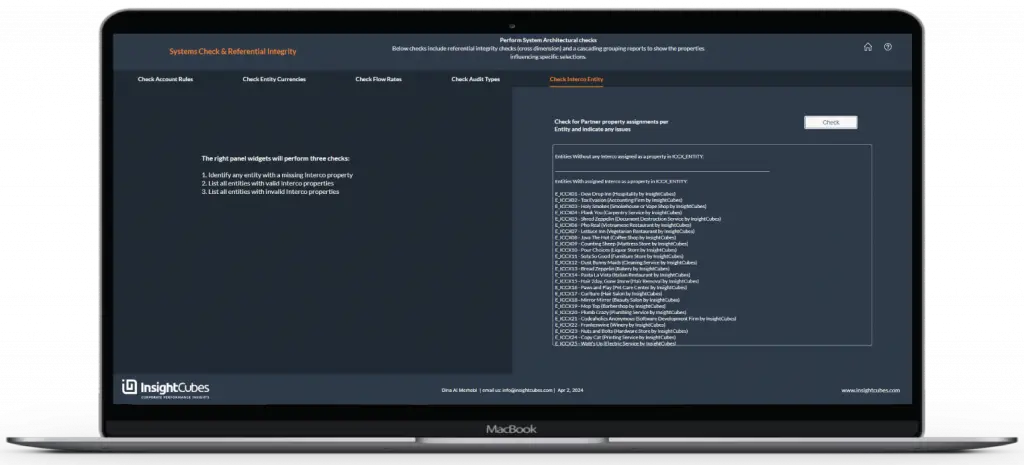
Consolidation Extension: Systems Check and Referential Integrity Interface
Run the packaged rules to ensure the configuration has no conflicts. When the administrator clicks the Check button on a page, the system performs a detailed configuration checklist. It highlights missing or conflicting configurations and lists existing ones for review.
The logic also performs system architecture checks, including referential integrity (cross-dimension) and property assignments. These checks trigger rules for journals, copy openings, eliminations, and currency conversions.
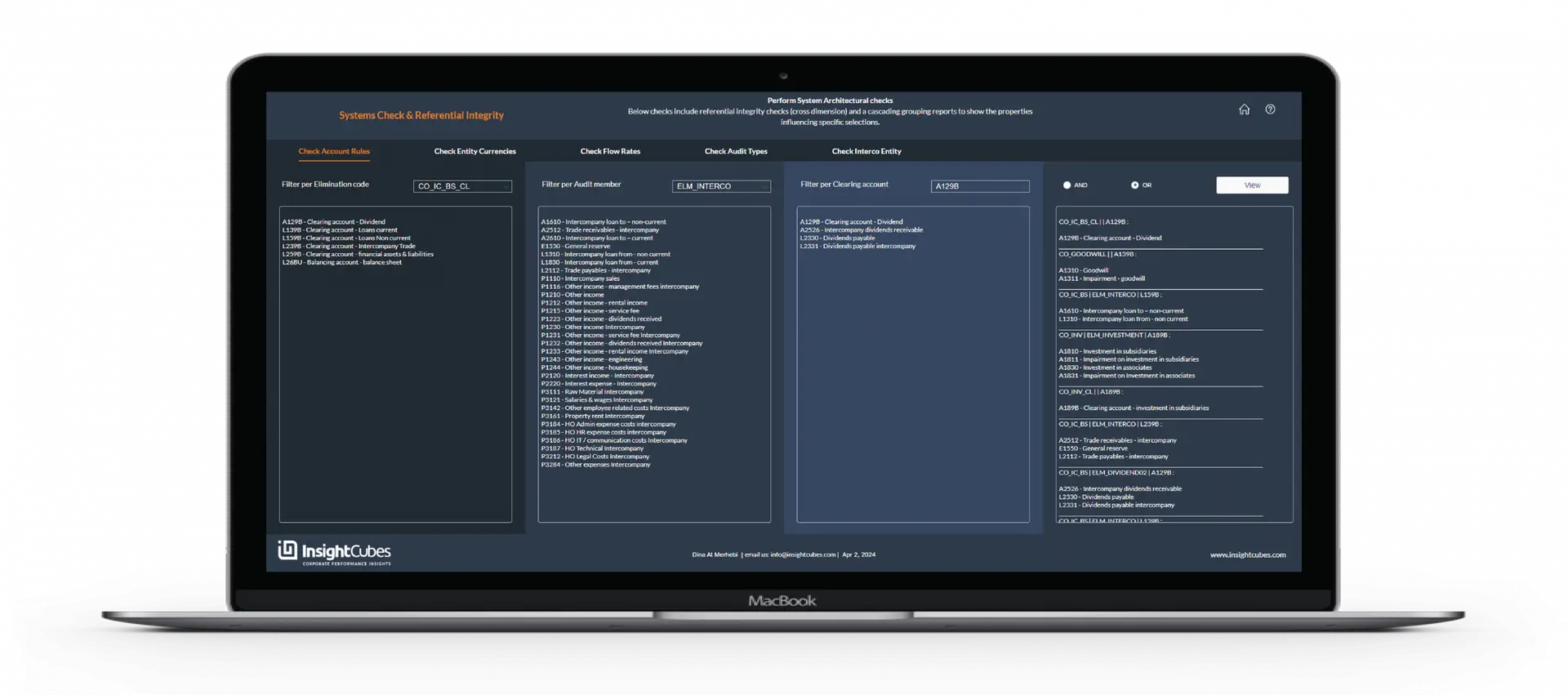
1- Check Account Rules:
This feature provides an easy way to list accounts subject to specific Elimination Rules. Accounts with assigned Audit Trail members and/or assigned clearing accounts are also shown. The interface can generate a detailed report explaining how each account behaves based on the applied configurations.
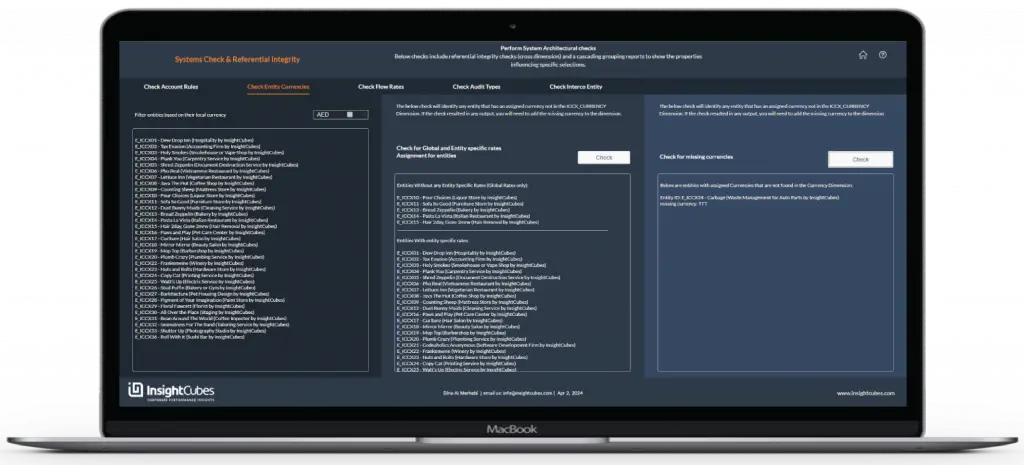
2- Check Currencies and Global/Entity-Specific Rate Assignments:
This feature enables quick reporting of entities based on the selected currency. The report groups entities by those using Global Rates, those using Entity-Specific Rates, and those with Entity-Specific Rates missing configuration. Finally, if an entity has a currency not found in the currency model, the last section indicates this violation.
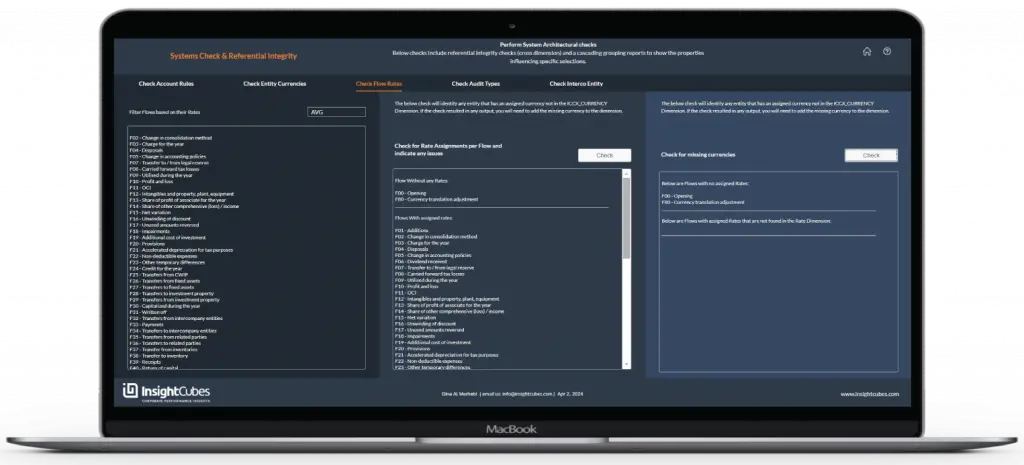
3- Check Flow Rates:
Unlike SAC’s standard currency conversion, limited to AVG and CLO rates, this solution allows conversion using any set of rates, in addition to automated CTA calculation. The interface also lets users check the rates assigned to each flow.
The first report lets users filter flows based on their assigned rates. The second report generates automatically when the Check button is clicked. It shows flows without assigned rates (Opening and CTA excluded). Then it shows flows grouped by rates and flows with rates missing in the rate dimension.
The last section will generate, upon clicking the check button, any issues in the Flow/Rate configuration.
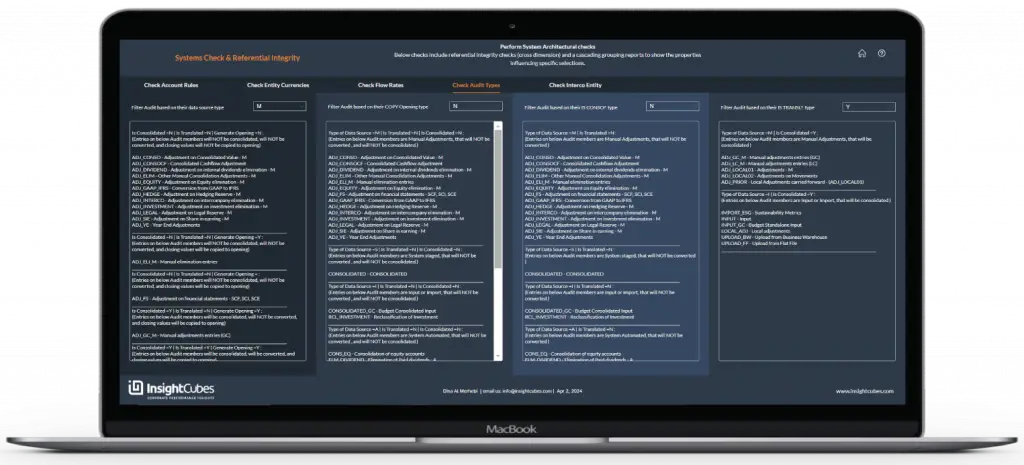
4- Check Audit Trail Types:
A straightforward method to list the audit trail members based on the applied set of properties that governs their behavior: Their assigned Data Source Types, whether they are subject to Copy Opening rules, subject to Consolidation, subject to currency Translation and other criteria.
This interface provides a comprehensive report outlining the behavior of each audit trail member according to the applied configurations.
5- Check Intercompany/Entity Assignment Rules:
This referential integrity check lists entities and their assigned intercompany codes. It also identifies any missing or incorrect assignments.