
Scope Configuration Toolkit Overview
With our Scope Configuration Toolkit, you can take control of your consolidation scopes with confidence and precision. This interface makes it extremely easy to create new scopes and sub scopes, configure their relationship, group currencies and other criteria. After creating a Consolidation Scope, you can assign entities and designate their ownership methods and percentages through the Ownership manager Interface.
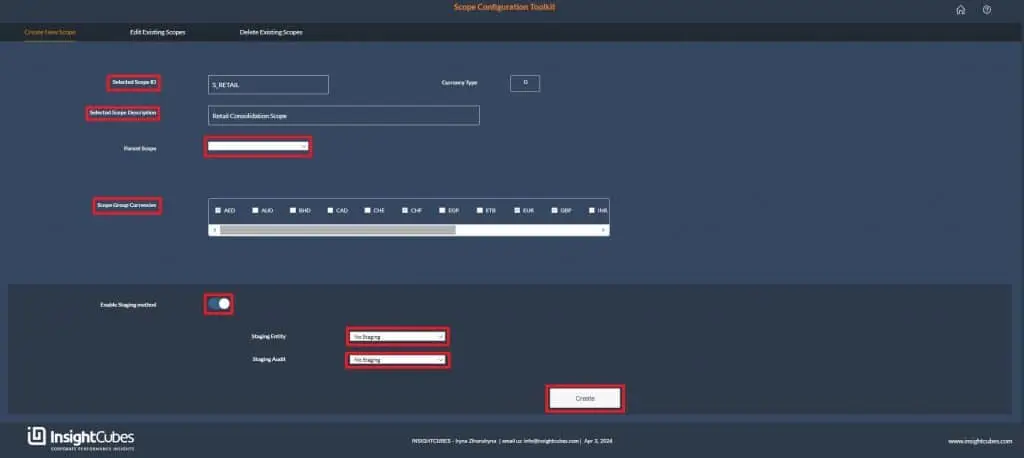
Creating and Configuring Scopes
Initially, the system displays a user-friendly interface with the following options when users enter the “Create New Scope” tab:
- Input Scope id.
- Input Scope description.
- Select from the dropdown ‘Parent Scope’ member.
- Select ‘Scope group currency’ from checkbox.
Next, users can activate or deactivate the staging method and select from a dropdown list that includes:
- Staging entity
- Staging audit
Then, after completing the selection process, the user can create the scope by clicking the “Create” button.
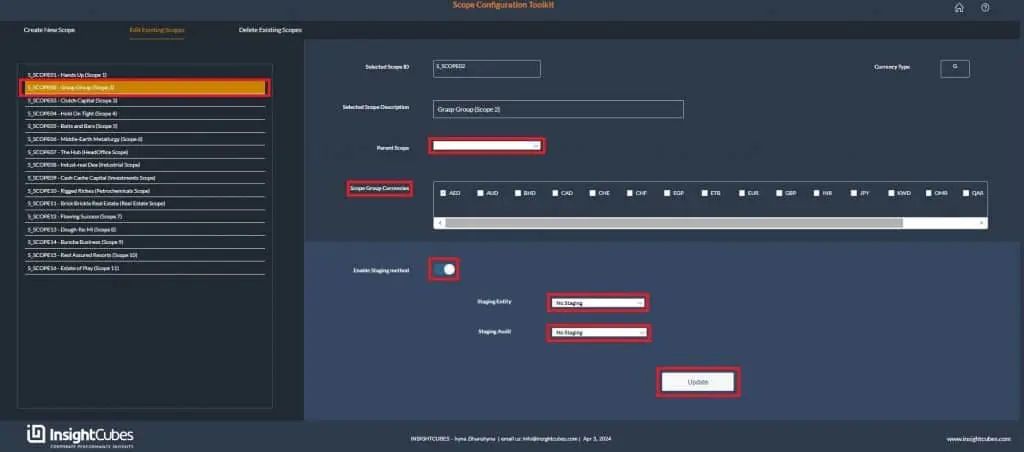
In the “Edit Existing Scope” tab, the system displays existing scopes in the left-side list. Once users select a scope, the system shows relevant information for each one, allowing users to make changes to:
- Parent Scope
- Group Currencies
- Staging entity
- Staging audit
If users activate staging, the toggle no longer allows them to deactivate it.
After this, users select “No Staging” from the dropdown list for both the Staging Entity and the Staging Audit Member.
After completing the corrections, users can update the scope by clicking the “Update” button.
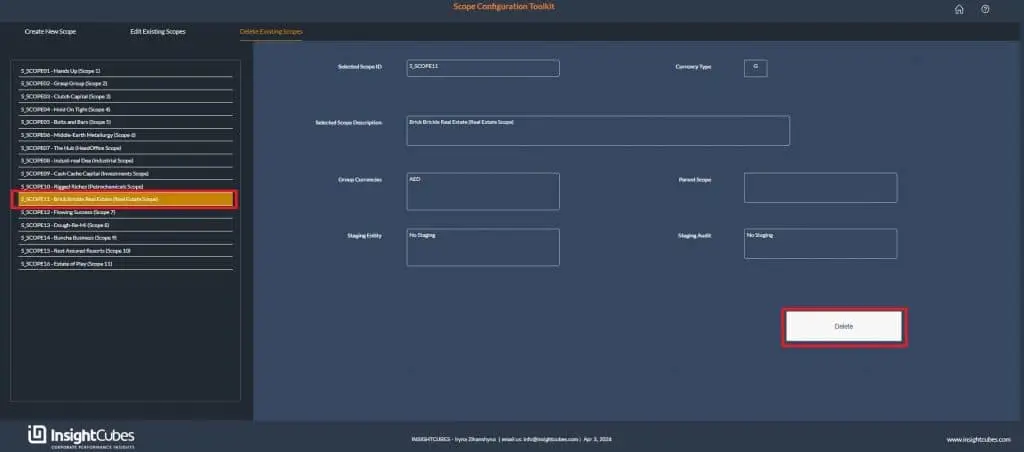
Within the ‘Delete Existing Scope’ tab, users can select a scope from the provided list of scopes. Upon selection, they can review the information displayed in each box.
Finally, clicking the ‘Delete’ button will remove the selected scope from the system and all associated data (be careful when using this option, as the system will perform several activities and checks ultimately clearing data, which will not be recoverable)