
Consolidation Extensions’ Configuration Starter Kit
The preconfigured toolkit enables you to configure the Consolidation Extension for SAP Analytics Cloud. The purpose is to simplify the customization of the consolidation engine and ensure zero conflicts along the way. This simplified and rule-based configuration toolkit can cover for 80% of the currency conversion and elimination configurations.
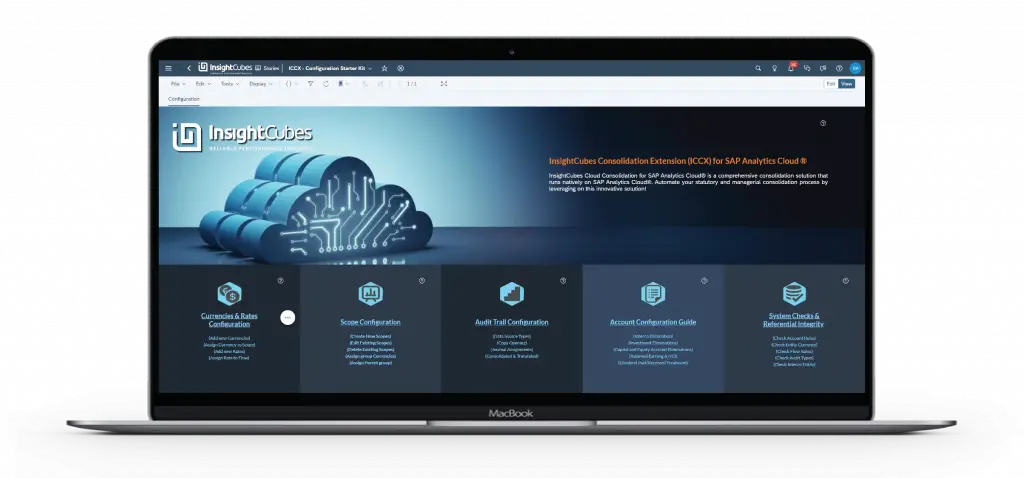
The Configuration Toolkit consists of the following main sections:
Currencies and Rates Configuration Interface
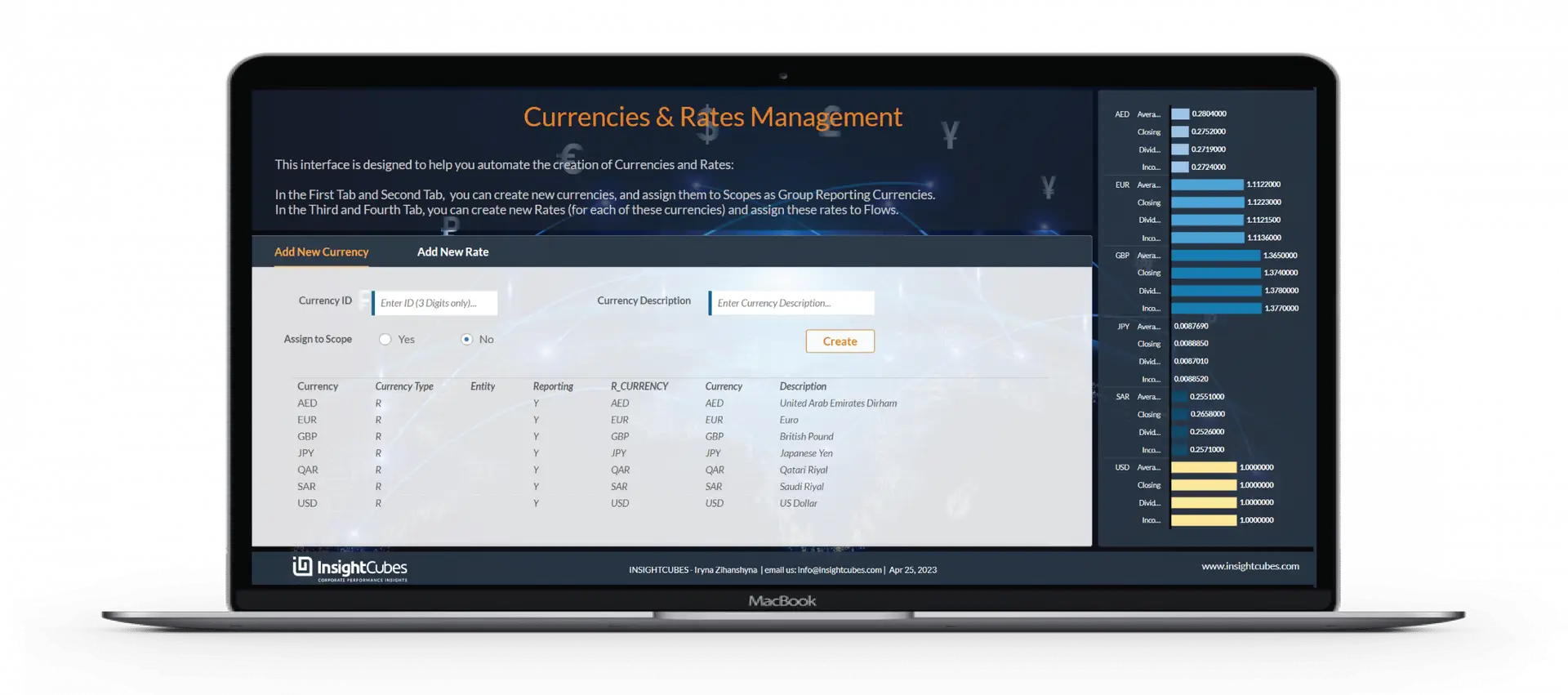
Enables the creation of new currencies and rates, with the option of assigning currencies to consolidation scopes as group reporting currencies and assigning rates to movements/flows for detailed conversion. This custom currency translation solution ensures detailed conversions beyond SAP Analytics Cloud’s native capabilities, which support only Average and Closing rates.
Scope Configuration Interface
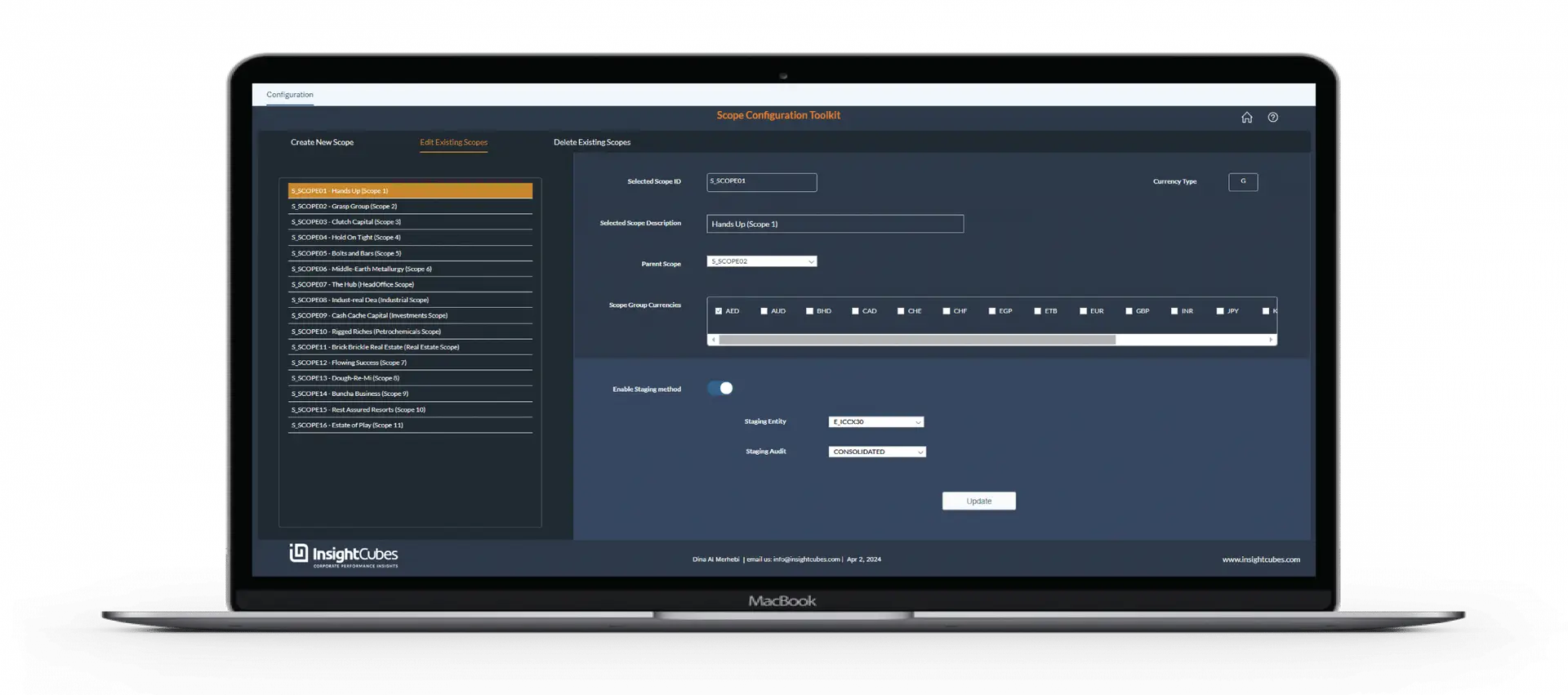
A simple interface to allow the creation of any set of consolidation scopes and develop a parent child relationship between these scopes. This facilitates for designing consolidation scopes that are direct and indirect, covering the legal ownership structure, managerial structure or even industry and segment structures.
Audit Trail Configuration Interface
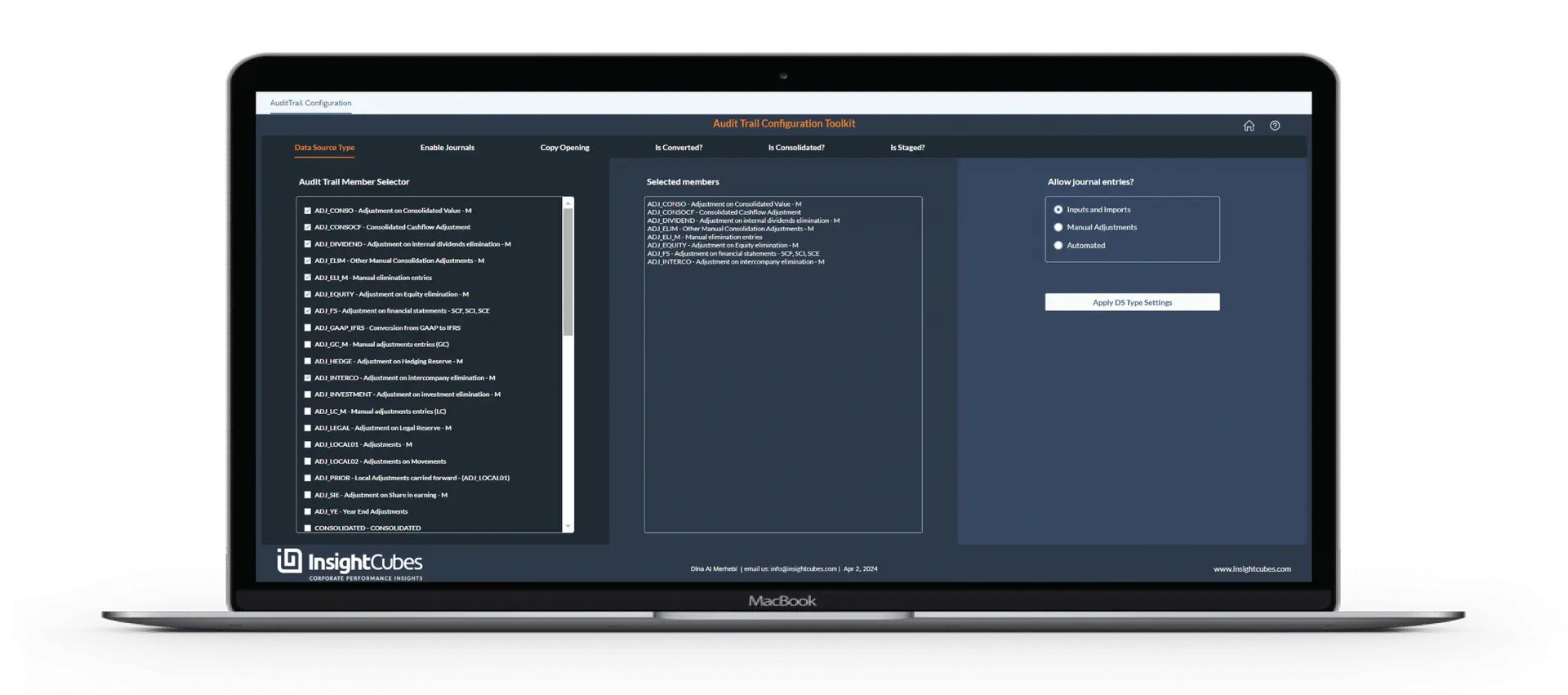
One of the most critical configurations entails the behavior of different Audit Trail members. A set of rules governs the Audit Trail Configuration and prevents conflicts during rule assignment.
Through this interface, the consultant or consolidation power user can define the Audit Trail member data source type. They can specify whether members follow copy opening rules, currency conversion rules, or consolidation rules, whether they are enabled for journal entries, and whether they serve as staging members for sub-scope values in Staging Consolidation Scenarios.
Account Configuration Guide
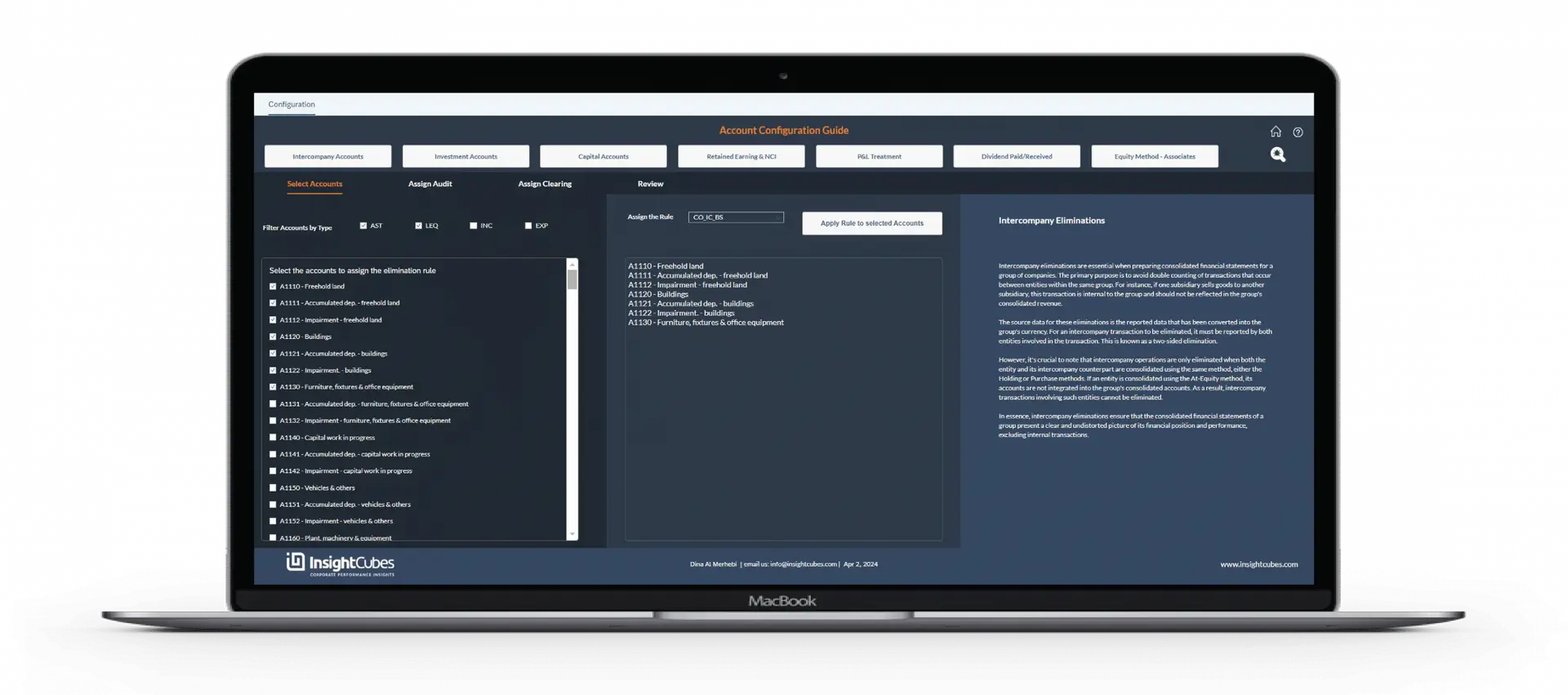
A guided interface that allows consultants and consolidation managers to assign specific elimination rules to a set of accounts. The preconfigured rules set elimination logic, assign audit trail members, and flag clearing accounts for residuals when applicable.
The toolset for Account configuration entails rule assignment to Balance Sheet intercompany accounts, Profit and Loss Intercompany Accounts, investment Accounts, capital Accounts, retained earnings and NCI, in addition to profit and treatment, dividend paid/received, and equity method/associates accounts.
The system applies elimination rules once it assigns them to accounts, clearing accounts, and audit trails.
Systems Check and Referential Integrity Interface
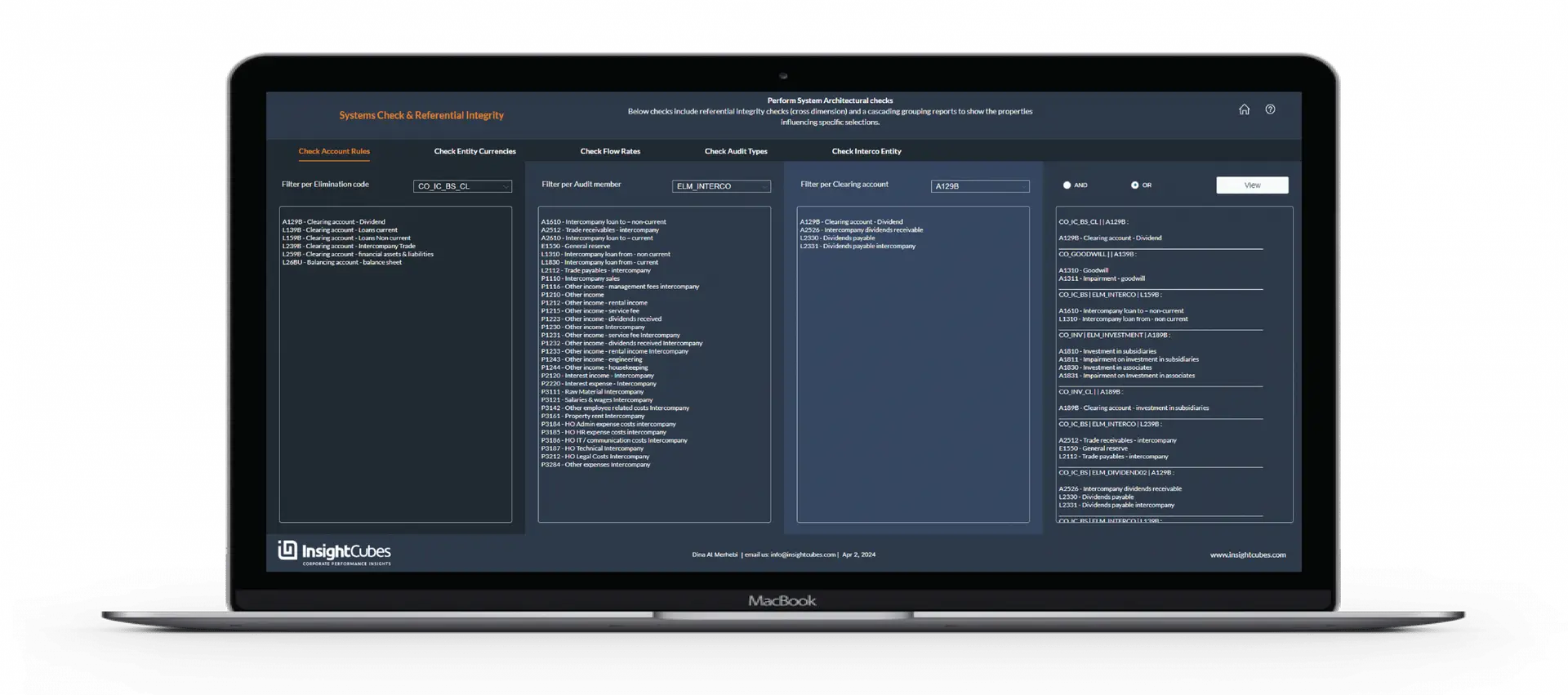
Run these packaged rules to ensure your configuration has no conflicts.. Once the administrator clicks on this Check Button in each of the pages, the system will perform detailed checklist of the configuration and highlight any missing configurations, conflicting configurations and will also list the existing ones for revision.
The logic performs system architecture checks, including cross-dimension referential integrity. It also verifies property assignments that trigger rules for journals, copy opening, eliminations, and currency conversions.
Check Account rules:
Easily list accounts that have specific Elimination Rules, Audit Trail members, or clearing accounts assigned. This interface enables generating a detailed report that explains how each account will behave based on the applied configurations.
Check Currencies and Global/Entity specific rate assignments:
Enables quick reporting on the list of entities based on the selected currency. Furthermore, the report will list in a grouped manner the entities that are subject to currency conversion using Global Rates, then the entities that are subject to currency conversion using Entity Specific Rates and finally any entity that is subject to entity specific rate conversion but has a missing configuration. Finally, if an entity’s assigned currency is missing from the currency model, the last section highlights this violation.
Check Flow Rates:
This solution goes beyond SAC’s AVG and CLO rates, allowing currency conversion with any rate set and automatic CTA calculation. The interface allows you to check the assigned Rates to the list of Flows.
The first report allows users to filter the flows based on their assigned rates. The second report is automatically generated when the “Check” button is clicked, showing the list of flows without any assigned rate (Opening and CTA shouldn’t have), then a list of flows grouped based on rates, and last, a list of rates assigned to flows but are missing in the rate dimension.
The last section will generate, upon clicking the check button, any issues in the Flow/Rate configuration.
Check Audit Trail Types:
A straightforward method to list the audit trail members based on the applied set of properties that governs their behavior: Their assigned Data Source Types, whether they are subject to Copy Opening rules, subject to Consolidation, subject to currency Translation and other criteria.
This interface provides a comprehensive report outlining the behavior of each audit trail member according to the applied configurations.
Check Intercompany/Entity assignment Rules:
another referential integrity check that lists the entities and their assigned intercompany code, while also identifying any missing assignments or wrong assignments.