How to use the setHierarchyLevel() API to set a hierarchy level of a dimension with SAP Analytics Designer
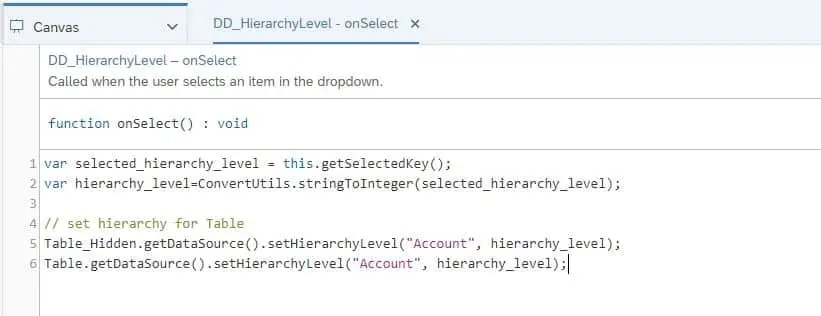
In a previous blog, we discussed how to use addDimensionsToRows(), and addDimensionsToColumns() in the EPM Report Developer Analytics Application. The same analytics application also includes a property value and a hierarchy level filter for the Account dimension. This blog focuses on the hierarchy level filter, using the setHierarchyLevel() API.
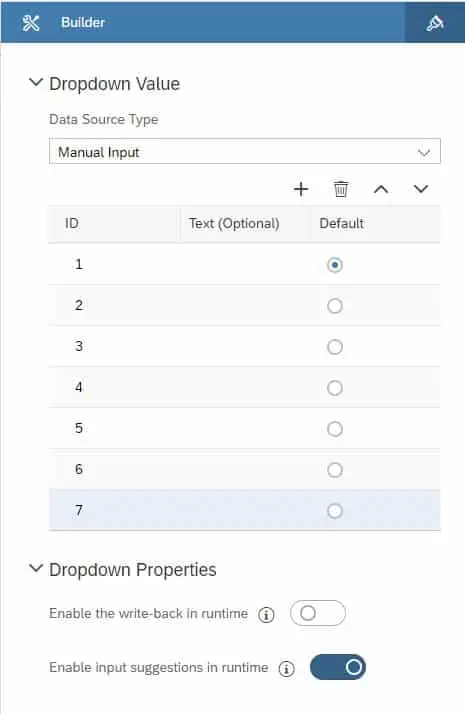
To set up a hierarchy dropdown, first create and manually fill the dropdown with the hierarchy levels.
Then add the below code to the dropdowns onClick fx