SAP Analytics Designer

How SAC Live Queries Really Work: From CDS to RSRT to SAC 

Introduction SAP Analytics Cloud live queries are often described as real-time and push-down, but what actually happens behind the scenes when a user opens a live story or analytic application? Understanding the execution flow – from CDS views in S/4HANA, through BW Query runtime and RSRT, all the way to SAC- helps developers design performant models, troubleshoot issues faster, and

Read More »

Understanding I_, C_, and 2C_ in S/4HANA Embedded Analytics 

S/4HANA Embedded Analytics introduces a layered analytics architecture built on Core Data Services (CDS). One of the most common sources of confusion for SAP BI architects and developers is the distinction between I_ views, C_ views, and 2C_ queries.  These artifacts serve different purposes, target different consumers, and follow clear modeling rules. Misunderstanding

Read More »

SAP Analytics Cloud Live vs Load: The Definitive Technical Guide 

Choosing between Live and Import (Load) connections in SAP Analytics Cloud (SAC) is one of the most critical architectural decisions organizations face when building analytics, planning, and reporting solutions. This choice impacts performance, data governance, security, scalability, and total cost of ownership.  Despite this importance, the topic is often oversimplified. This guide provides a clear, technical, and practical explanation of

Read More »

SAP Analytics Cloud Compass: A Complete Guide

In today’s dynamic business environment, uncertainty is the only constant. Therefore, organizations need robust tools to anticipate potential outcomes and make informed decisions. SAP Analytics Cloud (SAC) Compass is a native feature designed to help planners and analysts simulate the impact of uncertain drivers, providing a probabilistic view of key

Read More »
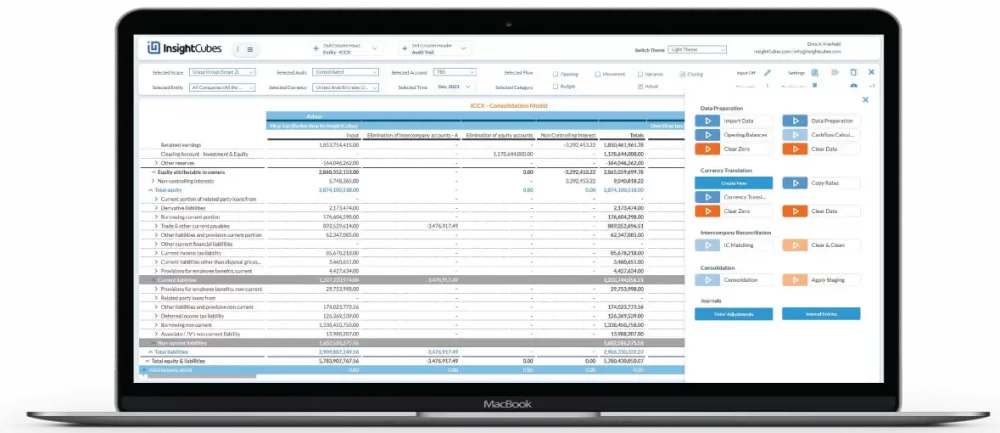
InsightCubes Consolidation Extension for SAP Analytics Cloud
SAP Analytics Designer

Switch Themes in SAP Analytics Cloud

By leveraging the power of Theme Builder and integrating JavaScript and CSS, users can seamlessly tailor their dashboards’ appearance to align with specific brand guidelines and aesthetic preferences.

Read More »

Extended Planning and Analysis (xP&A) with SAP Analytics Cloud

What is Extended Planning and Analysis (xP&A)? Briefing: The Extended Planning and Analysis is a prepackaged content for SAP Analytics Cloud designed to establish a simplified, comprehensive planning process by bringing together financial, supply chain, and workforce planning. By creating one connected plan across lines of business, they can strengthen

Read More »

SAP Analytics Cloud Calendar

SAP Analytics Cloud Calendar Features and API’s Workflow Organization (Calendar) Use the SAP Analytics Cloud calendar to organize your workflows with calendar events: You can create different types of tasks and assign people to work on them and others to review the work. You can use processes to manage multiple

Read More »

SAP Analytics Cloud Data Connections

Live connection (Online) and Import connection (batch) with SAP Analytics Cloud SAP Analytics Cloud enables access to on-premise and cloud data sources using two main connection types: Live connection (Online) and Import connection (batch). Both access data from a variety of source systems. Live (Online) connection: With a live (online)

Read More »

Using the setHierarchyLevel() API with SAP Analytics Designer

How to use the setHierarchyLevel() API to set a hierarchy level of a dimension with SAP Analytics Designer In a previous blog, we discussed how to use addDimensionsToRows(), and addDimensionsToColumns() in the EPM Report Developer Analytics Application. The same analytics application also includes a property value and a hierarchy level

Read More »

Using the getResultSet() API with SAP Analytics Designer

How to use the getResultSet() APi with SAP Analytics Designer The getResultSet() API returns result sets. A result set consists of property-value pairs. The property is a dimension name. The value contains information about the member or measure. You can get an array of result sets with getDataSource().getResultSet(). We are

Read More »

Want to Know More?

Get In Touch

Something isn’t Clear?


Feel free to contact us, and we will be more than happy to answer all of your questions.